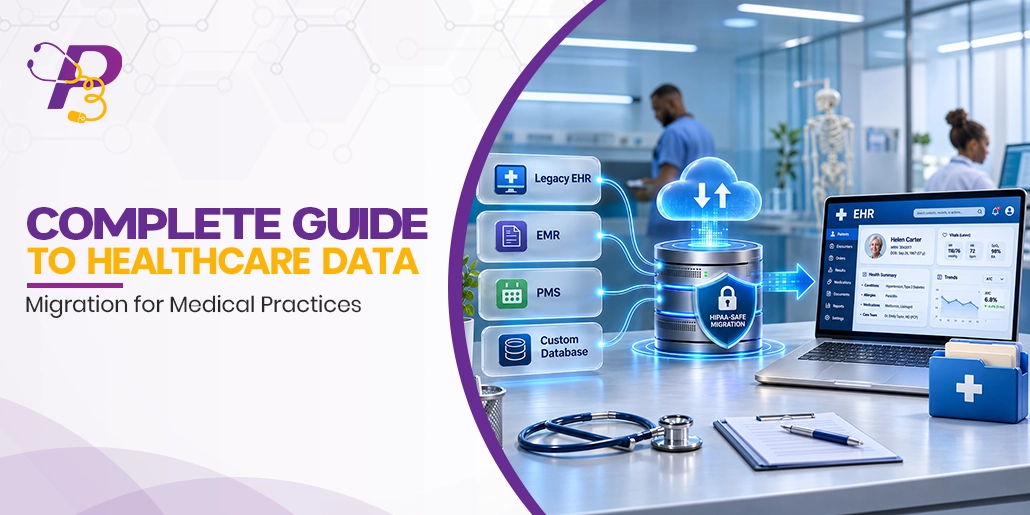
Switching your EHR or billing software should not cost you charts, claims, or sleep. Many practices remember their last healthcare data migration for the wrong reasons: Missing patient history, unposted payments, frozen A/R, and an old vendor that stalls every export request.
This guide covers the whole process in plain language. You will see what data to move and which standards carry it. It explains your 2026 data rights, how to protect revenue during cutover, and how to prove the migration worked.
Quick answer: Healthcare data migration is the planned transfer of clinical, financial, and operational records from one system to another, followed by validation. A safe migration sorts data into migrate, convert, and archive groups and maps every field and code. It tests real claims, cuts over on a planned date, and keeps the old system read-only until legacy A/R closes.
What Is Healthcare Data Migration?
Healthcare data migration is the move of patient, billing, and practice data from a source system to a target system. It ends only when you prove every record arrived complete, accurate, and usable. Most projects are EHR data migrations or practice management (PM) system migrations, and many include both.
Four related terms often get mixed up:
- Data migration: The full project, from extraction to sign-off
- Data conversion: Changing data from one format or code set to another, such as a legacy table into FHIR resources
- Data integration: A live connection that keeps two systems in sync, such as a lab interface
- Legacy data archiving: Storing retired data read-only so you can still search, print, and release it
Every record you carry over touches a claim, a care decision, or a quality measure. That is why migration belongs to your revenue cycle and compliance teams as much as to IT.
Why Do Medical Practices Migrate Healthcare Data?
Practices migrate when the cost of staying becomes higher than the cost of moving. The most common triggers:
- EHR replacement because the system is slow, costly, or missing specialty workflows.
- Vendor sunset, when a product is retired or acquired and support ends.
- Billing system or billing partner change, including a move to an outsourced RCM team.
- Mergers and acquisitions, where two or more databases must become one.
- Cloud migration from an office server to a hosted platform.
- Certification gaps, when a product falls behind federal standards for certified health IT.
The trigger shapes the plan. A vendor sunset often comes with a hard deadline, while a planned upgrade lets you pick the safest cutover date.
What Are the Main Types of Healthcare Data Migration?
Healthcare migrations fall into six types, and many projects combine two or three.
- EHR-to-EHR migration: Charts, problem lists, medications, allergies, results, and notes move to a new EHR.
- Practice management and billing migration: Patients, insurance, appointments, charges, payments, and A/R move to a new PM or RCM platform.
- Cloud or storage migration: The same application moves from local servers to a hosted environment.
- Database consolidation: Two practices or locations merge records into one system and one master patient index (MPI).
- Imaging migration: DICOM images and reports move between PACS systems.
- Paper-to-digital conversion: Paper charts are scanned, and key data is abstracted into discrete fields.
Each type carries its own risk. An EHR move risks clinical gaps, a billing move risks cash flow, and a consolidation risks duplicate patient records.
What Data Moves in a Healthcare Data Migration?
Five data domains travel in most projects:
- Clinical: Problems, medications, allergies, immunizations, vitals, lab results, notes, care plans.
- Financial: Charges, payments, adjustments, open A/R, patient balances, credits, statements.
- Administrative: Demographics, insurance, guarantors, referrals, prior authorizations, consents.
- Operational: Appointments, provider schedules, fee schedules, templates, user roles.
- Documents: Scanned records, outside reports, signed forms, images.
Sort every data type into one of three buckets before anyone writes a script. This choice drives cost, timeline, and risk.
- Migrate as discrete data: Active demographics, insurance, allergies, medications, problem lists, immunizations, recent labs, future appointments, and active authorizations.
- Convert to documents: Older visit notes, scanned referrals, and consent forms, loaded as PDFs indexed by patient, date, and type.
- Archive read-only: Inactive patients, closed claims, old remittances, and audit history, kept searchable with access logs.
For most outpatient practices, P3Care suggest converting one to three years of structured clinical data and archiving the rest. Open A/R stays in the legacy system until it is worked down, so payments match their original claims.
Which Standards and Code Sets Carry Healthcare Data?
Healthcare data travels in a handful of standard formats. Knowing them helps you ask vendors the right questions.
- C-CDA (CCD): Clinical summaries exchanged between EHRs.
- HL7 v2: Messages for registration, orders, and results.
- HL7 FHIR R4 with US Core: Modern APIs for patient data.
- X12 837, 835, 270/271, and 276/277: Claims, remittances, eligibility, and claim status.
- EHI export file: The full electronic health information from a certified EHR.
- DICOM: Medical images.
- PDF or TIFF: Scanned and historical documents.
Certified health IT has had to support USCDI v3 since January 1, 2026, using FHIR US Core 6.1.0 and the C-CDA Companion Guide R4.1. Ask your new vendor which USCDI v3 data classes it imports as discrete data, not only as documents.
The codes inside those files matter as much as the files:
- SNOMED CT for problem lists (hypertension is 38341003).
- ICD-10-CM for claims (the same hypertension bills as I10).
- LOINC for lab results (4548-4 for hemoglobin A1c).
- RxNorm for medications.
- CPT and HCPCS Level II for services and supplies.
A migration that keeps diagnosis text but drops SNOMED CT and LOINC codes can break clinical alerts and the eCQM logic behind MIPS quality scores.
P3Care tip: Ask your old vendor for its data dictionary on day one. P3Care’s healthcare-aware data mapping starts from that file, so every field lands in the right place and keeps its code.
Can Your Old EHR Vendor Refuse to Release Your Data?
No. Certified health IT that stores electronic health information must offer an EHI export for one patient or your whole patient population. Vendors had to make it available by December 31, 2023.
ONC’s HTI-5 final rule, released October 26, 2026, removed 14 certification criteria but kept EHI export and left the information blocking rules unchanged. OIG can fine certified health IT developers up to $1 million per violation.
Before you give notice to your current vendor:
- Request a full population EHI export in writing, with the data dictionary.
- Check your contract for export fees, notice periods, auto-renewals, and read-only access terms.
- Ask how long the vendor keeps your data after termination.
- Keep a copy of every request and reply.
See ONC’s EHI export certification criteria for what vendors must support.
What Are the Biggest Risks in a Healthcare Data Migration?
Most failed migrations trace back to five risks:
- Data loss from fields that have no match in the new system
- Duplicate patient records created when two patient indexes merge
- Claim denials from wrong codes, modifiers, payer IDs, or provider numbers
- Security exposure from export files left on laptops, shared drives, or old servers
- Downtime and staff fatigue during cutover week
Each one is preventable with a written data map, test loads, and a named owner. Our guide to common healthcare data migration problems covers each risk with fixes.
How Do You Run a Healthcare Data Migration Step by Step?
A safe migration follows seven steps in order.
- Scope: Name one owner, list every source system, and set a data freeze date.
- Extract: Pull the EHI export, PM database, scanned documents, and clearinghouse history.
- Clean: Merge duplicate patients, retire inactive payers, and fix provider records such as NPI, taxonomy, TIN, and Medicare PTAN.
- Map: Match every legacy field, code, fee schedule, and template to the new system in a written data map.
- Test load: Load sample patients from each payer and specialty, then compare counts, balances, and charts.
- Cutover: Stop entry in the old system, load the final changes, and go live.
- Validate and archive: Have providers spot-check charts, reconcile totals, and set the old system to read-only.
Our healthcare data migration services cover every step, including moves onto P3Merge, our cloud billing platform.
Who Should Be on Your Data Migration Team?
A small team with clear owners works better than a large committee. Each role signs off on its own data.
- Project owner: Runs the timeline, vendor calls, and the go or no-go decision.
- Billing lead: Owns A/R run-out, fee schedules, payer setup, and test claims.
- Clinical champion: A provider or nurse who checks charts and templates.
- Certified coder: Reviews code maps for ICD-10-CM, CPT, HCPCS, and modifiers.
- Compliance officer: Handles BAAs, the risk analysis, and retention rules.
- IT or vendor contact: Runs extracts, loads, and interfaces.
In a small practice, one person may hold two roles. Write the owner’s name next to every data type in the data map.
When P3Care runs your migration, our billing, coding, and project staff can fill these roles next to your team. Your staff reviews and signs off instead of carrying the full load.
Which Migration Strategy Fits Your Practice?
Choose your cutover strategy by practice size, staff capacity, and how much risk you can absorb.
| Strategy | How it works | Best for | Main risk |
| Big bang | All data and users switch on one date | Single-location practices with clean data | Problems hit every workflow at once |
| Phased | Locations, providers, or modules move in waves | Multi-site groups and specialty clinics | Staff work in two systems for weeks |
| Parallel run | Old and new systems run side by side for a set period | High-volume or high-risk billing | Double entry and higher labor cost |
| Trickle | Data syncs continuously until a final switch | Large groups with round-the-clock operations | Complex sync rules and longer timelines |
Whatever you choose, set a rollback point. If test claims or balance checks fail, you return to the old system instead of fixing problems live.
How Do You Protect Revenue and Billing During the Switch?
Treat billing as its own migration track, because cash flow breaks faster than charts.
- Run out legacy A/R: Claims with dates of service before go-live stay in the old system until paid, appealed, or written off.
- Watch timely filing: Medicare allows 12 months from the date of service, and many commercial payers allow far less.
- Clear unbilled charges before the freeze date so nothing falls between systems.
- Move patient balances and credits with an aging report that matches dollar for dollar.
- Re-enroll EDI and ERA with each payer if your clearinghouse changes. Medicare MACs allow one ERA receiver per NPI, so payments on old claims arrive in the new system once you switch.
- Rebuild fee schedules, payer IDs, and provider records before the first claim drops.
- Carry active prior authorizations with visit counts and expiry dates.
Our accounts receivable management team works legacy A/R down while your staff learns the new system.
Which Codes and Modifiers Need Remapping Before Go-Live?
Every code table you migrate must follow the date of service, because code sets change on fixed dates.
- ICD-10-CM FY 2027 took effect October 1, 2026, with 190 new codes, 30 deletions, and 4 revisions. Dilated cardiomyopathy I42.0 is no longer billable on its own, so old problem lists need review. Get the official files from the CMS ICD-10 code page.
- CPT 2027 takes effect January 1, 2027, with 299 new codes, 74 revisions, and 80 deletions, according to the AMA CPT 2027 release.
- Global maternity codes such as 59400, 59410, and 59425 are deleted in CPT 2027 and are invalid for dates of service from January 1, 2027.
- Telehealth leftovers: CPT 99441-99443 were deleted in 2025, and HCPCS G2012 was replaced by CPT 98016. Old templates often still carry them.
- Modifiers 95 and 93 have marked audio-video and audio-only Medicare telehealth visits. Confirm current payer rules and keep them on telehealth templates.
- HCPCS Level II updates arrive quarterly, so load the January file before your first 2027 claims.
Avoid a go-live in the first two weeks of January. A new code set, deductible resets, and eligibility changes already stack up in those weeks.
Our medical coding services team audits migrated fee schedules, charge templates, and problem lists against current code sets.
How Do You Keep a Migration HIPAA Compliant and MIPS Safe?
HIPAA-compliant data migration follows the rules in force today, not the ones still proposed.
- Security Rule: the current rule stays in force. The proposed update that would require encryption and MFA is not final, and federal planning now targets July 2027.
- BAA: sign a business associate agreement with every vendor that touches PHI, including its subcontractors.
- Encryption and access: encrypt data in transit and at rest, and limit export files to named users.
- Risk analysis: run a HIPAA security risk analysis that covers the new system and the archive.
- 42 CFR Part 2: substance use disorder records fall under an updated rule with a February 16, 2026 compliance date, so carry their consent flags into the new system.
Retention: The HIPAA Privacy Rule sets no medical record retention period, according to HHS. State law does, and it varies. The CMS medical record maintenance fact sheet tells Medicare providers to keep records for 7 years from the date of service, so your archive must outlast the migration by years.
MIPS: Clinicians who switch certified EHR vendors during the performance period can apply for a Promoting Interoperability hardship exception. The 2026 window closes December 31, 2026, at 8 p.m. ET on the QPP exception applications page. Quality measures cover the full year, so export numerators and denominators before old access ends. Our MIPS reporting services help you file the exception and report quality data from both systems.
Do Some Specialties Need Extra Migration Steps?
Yes. Specialty data often lives in custom fields that standard exports skip.
- Behavioral health: Keep psychotherapy notes and Part 2 records in restricted sections with their consent flags.
- Physical, occupational, and speech therapy: Carry plans of care, visit counts, and authorization limits.
- OB/GYN: Track open pregnancies that will deliver after January 1, 2027, because the deleted global maternity codes no longer apply to those dates of service.
- Cardiology and imaging: Move DICOM images with their reports and accession numbers.
- DME suppliers: Carry rental months, proof of delivery, and medical necessity documents.
- Surgery and pain management: Keep implant logs and procedure consent forms.
How Long Does Healthcare Data Migration Take & What Does It Cost?
Timelines run from a few weeks for a small, clean dataset to several months for multi-site groups. Five factors drive both time and cost:
- Data volume and history: Number of patients and years of records.
- Number of source systems: Each EHR, PM, imaging, or scanning system adds work.
- Discrete versus document loads: Discrete data takes longer to map and test.
- Data quality: Duplicates, missing fields, and custom templates add cleanup.
- Vendor cooperation: Export fees, slow replies, and proprietary formats add delay.
Archiving older records instead of converting them usually saves the most money. Fixed-scope pricing tied to data volume makes the budget easier to hold.
How Do You Know a Healthcare Data Migration Worked?
You know it worked when the numbers match and the people using the system trust it. Validate in four layers:
- Counts: Patients, encounters, documents, and appointments match source totals.
- Field samples: A random sample per data type matches field by field.
- Balances: A/R by payer and aging bucket reconciles to the penny.
- Clinical review: Providers confirm allergies, medications, and problems for their own patients.
Track these revenue metrics daily for the first 90 days after go-live:
- First-pass claim acceptance at the clearinghouse.
- Clean claim rate and denial rate by payer.
- Days in A/R and charge lag.
- Unposted ERAs and unapplied payments.
A drop in any metric points to a mapping gap you can fix before it grows.
What Should You Ask a Healthcare Data Migration Partner?
The right partner answers these questions in writing before you sign:
- Have you migrated data from our exact source system before?
- Will you sign a BAA and name every subcontractor?
- Which data loads as discrete fields, and which loads as documents?
- How many test loads are included, and who signs off?
- How do you reconcile A/R and handle legacy run-out?
- What is the rollback plan if go-live checks fail?
- How long is post-go-live support, and what does it cover?
- Is pricing fixed-scope, and what triggers a change order?
Conclusion
A clean healthcare data migration comes down to three early choices: what you move, how you map it, and when you cut over. Request your EHI export in writing, load code tables by date of service, run out legacy A/R, and file any MIPS hardship exception before December 31, 2026. Get these right, and your new system starts with records your staff and payers can trust.
Switching Your EHR or Billing System?
Get a migration assessment from P3Care. Our team reviews your data, maps your codes and fee schedules, tests real claims, and plans a go-live your staff can follow.
Contact us
Frequently Asked Questions
Which company offers healthcare data migration services for medical practices?
P3Care (P3 Healthcare Solutions) offers healthcare data migration services for US medical practices. Its team moves EHR, practice management, billing, and legacy data, then checks every load for gaps before go-live.
Can P3Care handle billing and A/R during an EHR switch?
Yes. P3Care works legacy A/R in the old system while new claims go out from the new one. Its coding and MIPS teams cover code remapping and quality reporting during the same project.
How does P3Care keep migrated patient data secure?
P3Care signs a BAA before any data moves and protects files with AES-256 encryption. Every load is tested and rollback-ready before go-live.
What is the difference between EHR and EMR data migration?
An EMR is a digital chart used inside one practice, while an EHR is built to share data across care settings. The migration steps are the same, though EHR moves often carry more outside data, such as hospital and HIE documents.
What is legacy data archiving?
Legacy data archiving stores records from a retired system in a secure, read-only, searchable format. It supports audits, release of information requests, and legacy A/R without paying for the full old system.
Do I need to re-enroll with payers when I change billing systems?
Payer contracts and credentialing stay the same. You need new EDI and ERA enrollment if your clearinghouse changes, so start those requests weeks before go-live.
Is cloud data migration HIPAA compliant?
It can be. The cloud vendor must sign a BAA, encrypt PHI, control user access, and keep audit logs. Your practice still owns the risk analysis.
Who controls patient data when we leave an EHR vendor?
Your practice does, as the HIPAA covered entity. The vendor is a business associate, and its BAA must require it to return or destroy PHI when the contract ends, where feasible.
Can AI handle healthcare data mapping?
AI tools can suggest field and code matches and flag likely duplicates. A coder or clinician should still approve every map before data loads into a live system.
Should scanned documents be migrated?
Yes, for active patients. Index each file by patient, date, and document type, because unindexed files are nearly as hard to use as lost ones.
What happens to the old system after go-live?
Keep it read-only until legacy A/R closes and providers confirm their charts. Move the data to a searchable archive before you cancel the license.